
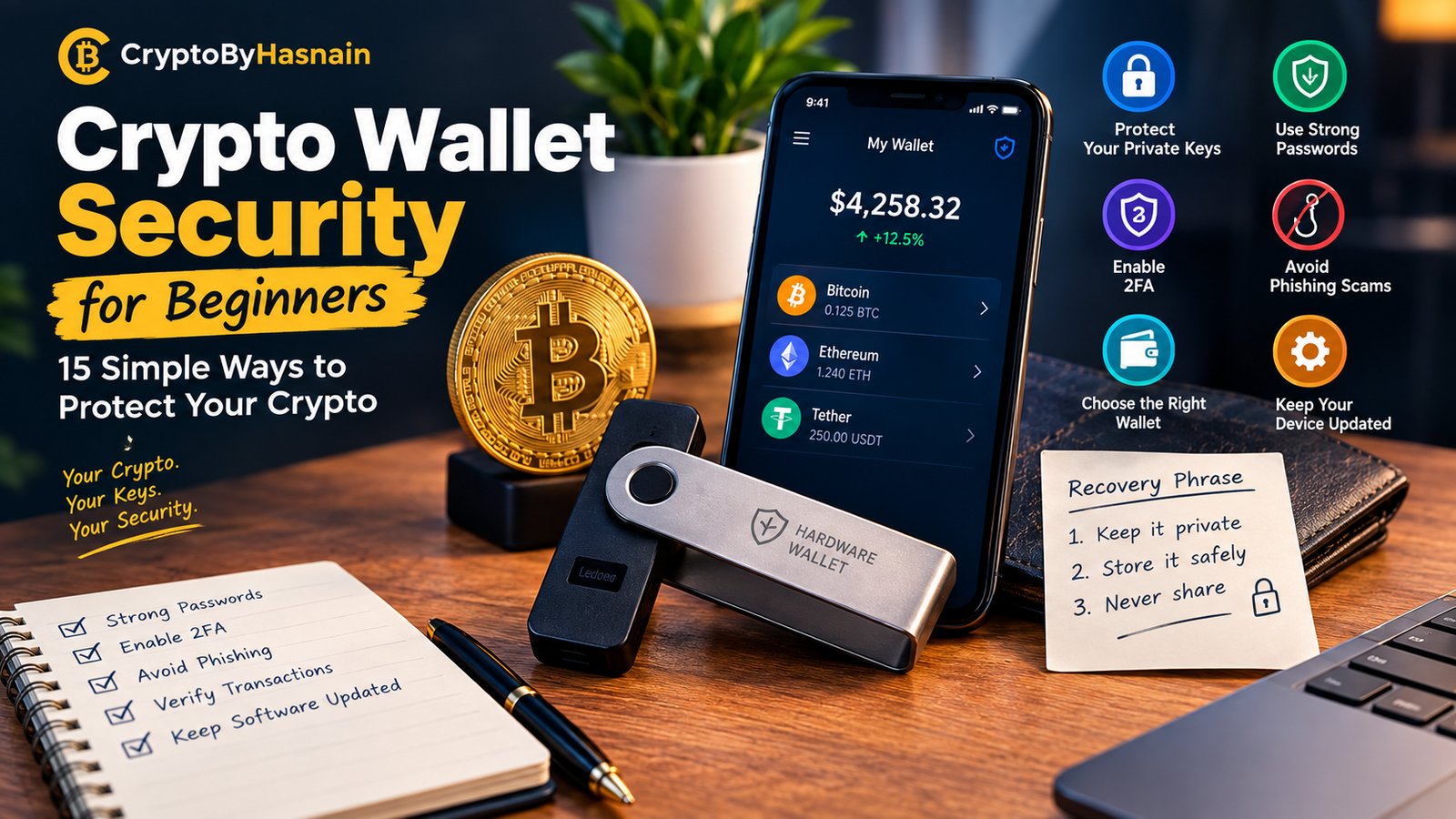
Crypto Wallet Security for Beginners: 15 Simple Ways to Protect Your Crypto
Date: September 30, 2026
One of crypto’s big selling points is control. You can buy Bitcoin, move it into a wallet you own, send it to someone else, and manage your money without leaning entirely on a bank.
That freedom has a catch, though.
Lose access to your wallet, leak your recovery phrase, approve a shady transaction, or paste the wrong address, and there’s a real chance you’ll never see that money again.
So crypto wallet security for beginners is worth learning before you put anything serious into crypto.
The good news is that it isn’t as hard as it sounds. You don’t need to become a cybersecurity expert overnight. You need to understand how wallets work, guard your recovery information, lock down your accounts, spot common scams, and pause before you approve anything.
Bitcoin.org explains that a wallet manages the private keys that control your coins, while the coins themselves live on the blockchain. It also stresses that losing your recovery phrase or private keys can lock you out of your funds for good.
This guide covers the basics in plain language and gives you a practical system to follow.
Important: This article is for educational purposes only. Crypto comes with real risks, and wallet features vary by asset and provider. Always check the official documentation for the wallet or exchange you’re using.
What Is Crypto Wallet Security?
Before we get into specific steps, it helps to know what you’re actually protecting.
A crypto wallet doesn’t work like the leather one in your pocket.
Your cryptocurrency sits on a blockchain. What the wallet holds are the keys or credentials that let you control those assets and approve transactions involving them. Think of it as the tool that gets you in.
The sensitive pieces can include:
- Private keys
- Recovery phrase or seed phrase
- Wallet password
- PIN
- Exchange login details
- Authentication methods
- Access to your devices
If someone gets hold of whatever controls your wallet, they may be able to move your crypto.
That’s why crypto wallet security for beginners starts with one idea:
Protect access, not just the device.
A passcode on your phone is helpful, but it doesn’t replace guarding your recovery phrase. And owning a hardware wallet doesn’t make every transaction safe automatically.
Security is a process, not a single purchase.
Why Crypto Wallet Security Matters
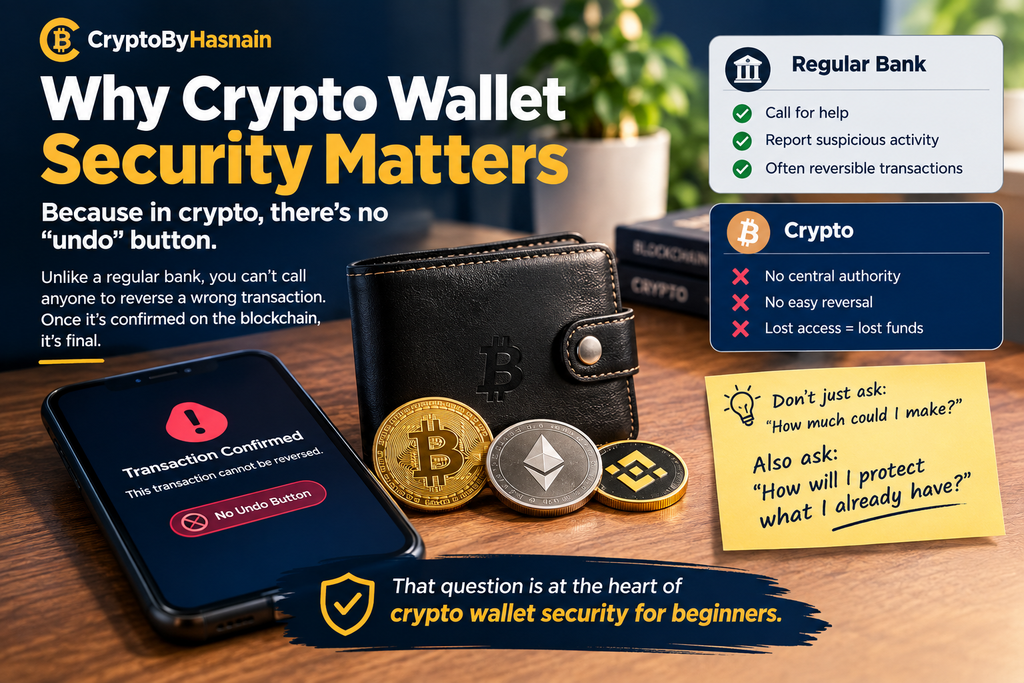
With a regular bank account, you can call the bank if you slip up or spot something suspicious.
Crypto often doesn’t work that way.
Many blockchain transactions can’t be reversed. Once one is confirmed, there may be nobody with the authority to undo it.
Bitcoin.org points out that Bitcoin has no “undo” button, and warns that permanently losing your recovery information can mean permanently losing your funds.
That should change how you think about owning crypto.
Don’t only ask:
“How much could I make?”
Ask this too:
“How will I protect what I already have?”
That question sits at the heart of crypto wallet security for beginners.
Step 1: Learn the Difference Between Hot and Cold Wallets
Early on, you’ll want to understand hot wallets versus cold wallets.
Hot wallets
A hot wallet is connected to the internet.
Common examples:
- Mobile wallets
- Browser wallets
- Desktop wallets
- Other online wallet apps
Their big strength is convenience. You can get to your funds fast, use decentralized apps, and send transactions with very little setup.
The trade-off is exposure. Being online opens you up to more risks.
Cold wallets
A cold wallet keeps your private keys offline, or at least separated from your everyday online activity.
Hardware wallets are the best-known kind.
Cold storage makes sense for assets you don’t touch often.
Bitcoin.org notes that cold storage keeps keys offline and can protect against online attacks, while hot wallets are easier for daily use.
You don’t necessarily need a hardware wallet. What you need is a storage method that fits how much you’re holding and how often you need to reach it.
Step 2: Never Share Your Recovery Phrase
If you remember only one rule of crypto wallet security for beginners, make it this one.
Your recovery phrase goes by several names:
- Seed phrase
- Secret recovery phrase
- Backup phrase
- Recovery words
In most wallets, this phrase can restore full access. So treat it as the most sensitive thing you own.
Never send it to:
- Friends
- Strangers
- Online support agents
- Social media accounts
- Telegram contacts
- Discord users
- “Investment managers”
- Anyone who says they work for a wallet company
Real support staff have no reason to ask for your phrase in order to “verify” your wallet.
Bitcoin.org tells users flatly never to share it, and notes that anyone who has it can potentially reach the funds tied to it.
A simple rule
If someone asks for your seed phrase, stop.
End the conversation.
Don’t send a screenshot.
Don’t type the words into a website.
Don’t fill in a form because somebody says your account needs verifying.
Your phrase stays with you.
Step 3: Store Your Recovery Phrase Properly
Keeping it secret is only half the job. You also have to store it well.
Plenty of beginners snap a photo of their phrase and leave it in:
- Their phone gallery
- Google Photos
- iCloud
- Messenger
- Cloud storage
- A computer screenshot folder
That creates a new weak spot, because online accounts get hacked.
Bitcoin.org recommends keeping wallet backups safely offline, and specifically advises against saving recovery phrases as photos or in cloud services.
For long-term storage, many people go with a physical backup kept somewhere secure. The right method depends on your situation and your wallet.
What matters is this:
Your backup should be private, durable, and easy to find when you truly need it.
Step 4: Use a Strong, Unique Password
Your exchange account and any other crypto-related accounts need real passwords.
Steer clear of things like:
- 123456
- password123
- Your name
- Your birthday
- Your phone number
- A plain dictionary word
- One password reused everywhere
A good password is hard to guess and never reused on important accounts.
CISA recommends strong, unique passwords and password managers as part of basic online safety.
A password manager creates and stores those passwords for you, so you don’t have to memorize dozens of them.
For crypto, this matters a great deal. An attacker who gets your password may go after your exchange account or any service linked to it.
Step 5: Turn On Multifactor Authentication
Multifactor authentication, usually called MFA or two-factor authentication, is another key piece of crypto wallet security for beginners.
It adds an extra verification step on top of your password.
Depending on the service, that might be:
- An authenticator app
- A security key
- Biometric verification
- A text message
- Another verification method
CISA explains that MFA adds a layer of protection: even if an attacker gets one factor, the additional requirement can still stop them.
If your exchange or another important crypto service offers MFA, go into the security settings and switch it on.
When there are several options, pick the strongest one the service supports.
Just don’t lean on a password alone.
Step 6: Protect the Email Account Behind Your Crypto Accounts
Lots of people obsess over their exchange password and forget about their email.
That’s a serious blind spot.
Your email may be tied to:
- Exchange accounts
- Password resets
- Security alerts
- Account recovery
- Transaction notifications
If someone breaks into your inbox, they can start trying to take over everything else.
So your email deserves:
- A strong, unique password
- MFA
- Up-to-date recovery information
- Good phishing protection
Put simply, your crypto security is only as strong as the weakest account connected to it. It’s an easy thing to overlook in crypto wallet security for beginners, and it matters.
Step 7: Learn to Spot Phishing
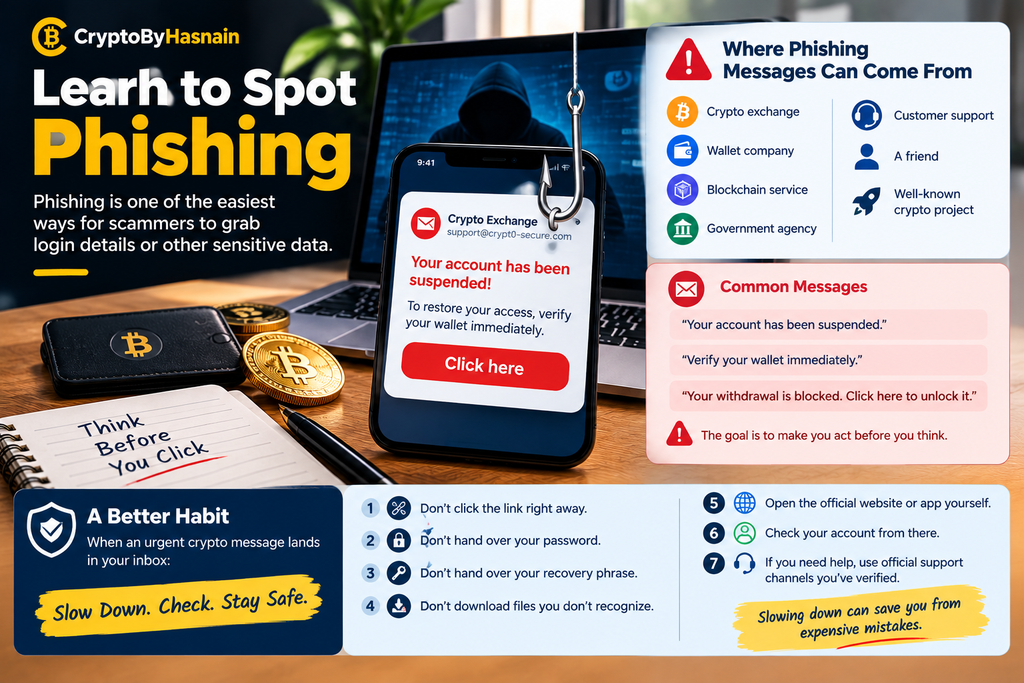
Phishing is one of the easiest ways for scammers to grab login details or other sensitive data.
The message might appear to come from:
- A crypto exchange
- A wallet company
- A blockchain service
- A government agency
- Customer support
- A friend
- A well-known crypto project
It might say:
“Your account has been suspended.”
Or:
“Verify your wallet immediately.”
Or:
“Your withdrawal is blocked. Click here to unlock it.”
The aim is to rattle you so you act before you think.
CISA advises people to recognize and report phishing, and not to engage with suspicious messages, especially ones with alarming language or offers that seem too good to be true.
A better habit
When an urgent crypto message lands in your inbox:
- Don’t click the link right away.
- Don’t hand over your password.
- Don’t hand over your recovery phrase.
- Don’t download files you don’t recognize.
- Open the official website or app yourself.
- Check your account from there.
- If you need help, use official support channels you’ve verified.
Slowing down can save you from expensive mistakes.
Step 8: Always Verify the Wallet Address
Crypto addresses are long strings of letters and numbers, which makes typos and swaps easy.
Before you send anything, check the destination address carefully.
Looking at the first few characters isn’t enough.
Bitcoin.org tells users to verify the entire receiving address, and calls out address-poisoning scams, where attackers create addresses that look like ones you’ve used before.
Get in the habit of confirming:
- The network
- The asset
- The full destination address
- The amount
- Any memo or tag the platform requires
If you’re sending a large amount to a new address for the first time, consider a small test transaction when that’s practical.
It might cost you an extra fee, but it lowers the risk of sending a big sum to the wrong place.
Step 9: Check the Network Before You Send
This is another trap that catches beginners.
A single token can exist on several blockchain networks.
An asset might be available through different networks, or in different versions of the same token.
If the network you send on doesn’t match what the receiving side supports, your funds could become very hard, or impossible, to recover.
Before you confirm, ask yourself:
Which asset am I sending?
Which network am I using?
Does the receiving wallet support that network?
Does the exchange need a memo, tag, or other identifier?
Don’t guess.
Read the receiving platform’s instructions closely.
Step 10: Keep Your Wallet Software Updated
Updates aren’t only about shiny new features. They often include security fixes.
Bitcoin.org recommends keeping wallet software current so you get important stability and security improvements.
The same goes for:
- Your phone
- Your computer
- Your browser
- Your wallet app
- Your security software
Don’t leave updates sitting for months.
At the same time, watch out for fake update notices. If an email or social media message pushes you toward a download link, skip it. Open the official app or the official website yourself and see whether an update is actually available.
Step 11: Be Careful With Browser Extensions and Crypto Websites
Using crypto in the browser is convenient, but it adds risk.
A malicious or compromised site may try to get you to:
- Connect your wallet
- Sign a transaction
- Approve token spending
- Type in your recovery phrase
- Download software
- Authorize a contract you’ve never heard of
That’s why you shouldn’t connect your wallet to every site just because someone posted a link on social media.
Before you connect, ask:
Do I know this website?
Did I get here through the project’s official channel?
Why does it need access to my wallet?
What exactly am I approving?
If something doesn’t add up, stop.
Step 12: Read What You’re Signing
Transaction approval is one of the most overlooked parts of crypto wallet security for beginners.
Your wallet will sometimes ask you to sign or approve something.
New users often just tap “Confirm” to get it over with.
That’s risky.
Before you approve anything, try to work out:
- Which asset is involved?
- How much is involved?
- Which contract or address is involved?
- What permissions is it asking for?
- Is this a transaction, or some other kind of signature?
- Does it match what you actually meant to do?
If you can’t tell what you’re approving, don’t hurry.
Look into it first.
Step 13: Keep Only What You Need in a Hot Wallet
Hot wallets are handy. That doesn’t mean everything you own should live in one.
Bitcoin.org suggests keeping smaller amounts for everyday use and putting larger holdings somewhere safer.
For some people, a setup like this works:
Everyday wallet
For:
- Small transactions
- Trying out apps
- Regular spending
- Learning
Long-term storage
For:
- Assets you rarely need
- Longer-term holdings
- Funds you want kept away from daily activity
There’s no magic number for what belongs in each.
The point is to limit your exposure.
Step 14: Think About a Hardware Wallet for Long-Term Holdings
If you hold a meaningful amount of crypto and don’t need to reach it often, a hardware wallet may be worth considering down the road.
It’s a dedicated physical device built to manage private keys.
Bitcoin.org describes hardware wallets as a balance between strong security and ease of use, designed specifically for wallet functions.
Still, buying one doesn’t fix everything. You’ll also need to:
- Protect the recovery phrase
- Verify the device is genuine
- Follow the official setup instructions
- Avoid fake websites
- Check transaction details
- Keep backups secure
The device is just one part of the bigger picture.
Step 15: Watch Out for Fake Support
Crypto users get targeted by fake support accounts all the time.
Someone might message you:
“I can help recover your wallet.”
Or:
“There’s a security problem with your account. Send me your seed phrase.”
Or:
“Pay this fee and we’ll unlock your funds.”
Be very careful.
The FTC warns about crypto scams and describes cases where scammers pose as businesses, government agencies, investment professionals, and other trusted figures.
There’s an especially nasty variation called a recovery scam. If someone promises to get back crypto you already lost, but wants money up front, treat it with extreme suspicion.
The FTC has also cautioned that people who have already been scammed often get targeted again by fake recovery services.
Common Crypto Wallet Security Mistakes
Even experienced users slip up. Here are the ones beginners should avoid most.
Mistake 1: Sharing the seed phrase
Never give it to someone claiming to be support.
Mistake 2: Screenshotting the recovery phrase
Digital copies create extra exposure.
Mistake 3: Reusing one password everywhere
If one account falls, the rest can follow.
Mistake 4: Skipping MFA
A password alone isn’t enough for important financial accounts.
Mistake 5: Clicking random crypto links
Social media and messaging apps are full of fake websites.
Mistake 6: Sending crypto without checking the address
Blockchain transactions can be hard or impossible to undo.
Mistake 7: Ignoring the network
Always confirm the receiving wallet supports the network you’re sending on.
Mistake 8: Keeping everything in one wallet
Separating everyday funds from long-term storage cuts your exposure.
Mistake 9: Approving transactions without reading them
Know what your wallet is asking you to authorize.
Mistake 10: Believing in guaranteed returns
Promises of easy, guaranteed profits are a major scam red flag. The FTC specifically warns consumers about crypto offers that promise quick money or guaranteed returns.
A Simple Crypto Wallet Security Checklist
If all this feels like a lot, start here.
Your wallet
- Pick a reputable wallet.
- Know whether it’s hot or cold.
- Learn how its backup system works.
- Keep the software updated.
Your recovery phrase
- Never share it.
- Never send it through messaging apps.
- Don’t store it as a photo in the cloud.
- Keep a secure physical backup.
- Make sure you know where that backup is.
Your accounts
- Use unique passwords.
- Use a password manager where it makes sense.
- Turn on MFA.
- Protect your email account.
- Keep your phone and computer updated.
Your transactions
- Verify the destination address.
- Check the network.
- Check the amount.
- Check any required memo or tag.
- Read transaction approvals.
- Consider a small test transaction when appropriate.
Your online behavior
- Ignore suspicious links.
- Be wary of urgent messages designed to make you panic.
- Never trust unsolicited investment offers.
- Never share private wallet information.
- Verify support contacts independently.
What Should You Do If You Think Your Wallet Is Compromised?
If you suspect your wallet or account has been compromised, try not to panic.
What you do next depends on what actually happened. There’s a big difference between:
- Losing your phone
- Forgetting a password
- Clicking a phishing link
- Sharing a private key
- Exposing a recovery phrase
- Approving a malicious transaction
- Sending crypto to the wrong address
If your recovery phrase or private key may have been exposed, treat it as urgent.
For exchange accounts, review your account security right away, change your credentials if appropriate, end any unauthorized sessions where you can, and contact the exchange through its official support channel.
For self-custody wallets, follow the wallet provider’s official guidance on compromise and recovery.
And don’t go hunting on social media for someone promising to “recover” your crypto.
That can turn one problem into two.
How to Build a Long-Term Crypto Security Routine
Good security isn’t a one-time task. Build a simple routine.
Once a month
Check:
- Account login activity
- Connected devices
- Security settings
- MFA
- Wallet software updates
- Important backups
Before every major transaction
Check:
- The address
- The network
- The amount
- The destination
- The transaction details
Every few months
Review:
- Which wallets you still use
- Which apps are connected
- Which accounts you no longer need
- Whether your backups are still accessible
- Whether your security information is stored safely
None of this needs to eat up hours.
A few minutes of attention beats dealing with a major security problem later.
Final Thoughts
Learning crypto wallet security for beginners isn’t about becoming paranoid or steering clear of crypto altogether.
It’s about accepting that owning something digital comes with responsibility.
Your crypto may sit on a blockchain, but your ability to control it depends on the keys, credentials, devices, and accounts you use.
So start with the basics.
Guard your recovery phrase.
Use strong, unique passwords.
Turn on multifactor authentication.
Keep your software updated.
Verify wallet addresses.
Check the network before you send.
Be wary of unfamiliar websites.
And never let anyone rush you into a financial decision.
The FTC warns that crypto scammers often rely on promises of fast profits, impersonation, contacts made through social media, and fake investment opportunities to get people to send cryptocurrency.
The most useful habit may also be the simplest:
Slow down before you click, sign, approve, or send.
Crypto transactions can happen in seconds, but taking one extra minute to double-check what you’re doing can spare you mistakes that are far harder to fix.
Your first goal shouldn’t be to become the most advanced crypto user around.
It should be to become a careful one.
Frequently Asked Questions
What is the most important rule of crypto wallet security?
Keep your recovery phrase and private keys secret. Anyone who gets control of the relevant private credentials may be able to control the funds attached to them.
Should beginners use a hot wallet or a cold wallet?
It depends on how you’ll use it. Hot wallets are convenient for regular activity, while cold storage suits assets you don’t need to reach often. Bitcoin.org notes that many people use hot wallets for smaller everyday amounts and cold storage for savings.
Can someone steal crypto if they have my wallet address?
A wallet address is generally meant to be shared so people can send you funds, and it isn’t the same as a private key or recovery phrase. The sensitive part is the credential that gives someone control of the wallet.
Should I share my seed phrase with customer support?
No. A legitimate support process shouldn’t require you to hand over your recovery phrase or private key. Keep those credentials to yourself.
Is a hardware wallet completely safe?
No wallet is risk-free. A hardware wallet can offer strong protection against certain online threats, but you still have to protect the recovery phrase, check transactions, avoid phishing, and follow secure setup steps.
What should I do if someone promises guaranteed crypto profits?
Treat guaranteed or unusually easy profits as a major warning sign. The FTC specifically warns that scammers often use promises of guaranteed returns or quick gains to lure crypto investors.
Can a crypto transaction be reversed?
Many crypto transactions are designed to be irreversible once confirmed. That’s why it’s so important to check the destination address, network, amount, and transaction details before you send. Bitcoin.org specifically advises users to verify before sending.
Is keeping crypto on an exchange the same as self-custody?
No. With self-custody, you control the private keys. On a custodial exchange, the platform generally holds the keys for you. Bitcoin.org notes that custodial services mean relying on a third party’s security and its ability to give you access to your funds.
What is the easiest first step for a beginner?
Secure your main email and crypto accounts with strong, unique passwords and MFA, then learn how your wallet’s recovery system works. After that, practice verifying addresses and transaction details before sending real funds.
Key Takeaway
Crypto wallet security for beginners gets much easier when you focus on a handful of core habits: protect your recovery phrase, secure your accounts, use MFA, avoid phishing, verify every transaction, and never rush because someone online says you have to act right now.
You can’t remove every risk. What you can do is make careless mistakes far less likely and build a security routine you can keep up for years.